这篇文章上次修改于 2314 天前,可能其部分内容已经发生变化,如有疑问可询问作者。 ### 工具概述 Sparrow-wifi本质上一款针对下一代2.4GHz和5GHz的WiFi频谱感知工具,它不仅提供了GUI图形化用户界面,而且功能更加全面,可以代替类似inSSIDer和linssid之类的Linux工具。在其最完整的使用场景下,Sparrow-wifi可以将WiFi、软件定义无线电(hackrf)、高级蓝牙工具、传统GPS(gpsd)和漫游GPS(mavlink)整合到一个解决方案之中。 **该工具完全使用Python3开发,并且适用于以下场景:** >1、基本的WiFi SSID识别; 2、WiFi源捕捉; 3、2.4GHz和5GHz频谱查看; 4、蓝牙识别; 5、蓝牙源捕捉; 6、iBeacon广播; 7、远程操作(通过GUI); 8、可挂载到无人机,支持树莓派; 9、远程代理基于JSON,可整合进其他应用; 10、CSV和JSON数据导出/导入; 11、可根据GPS坐标生成Google地图; ### 工具运行截图 Sparrow-wifi主面板,执行基础的WiFi扫描: 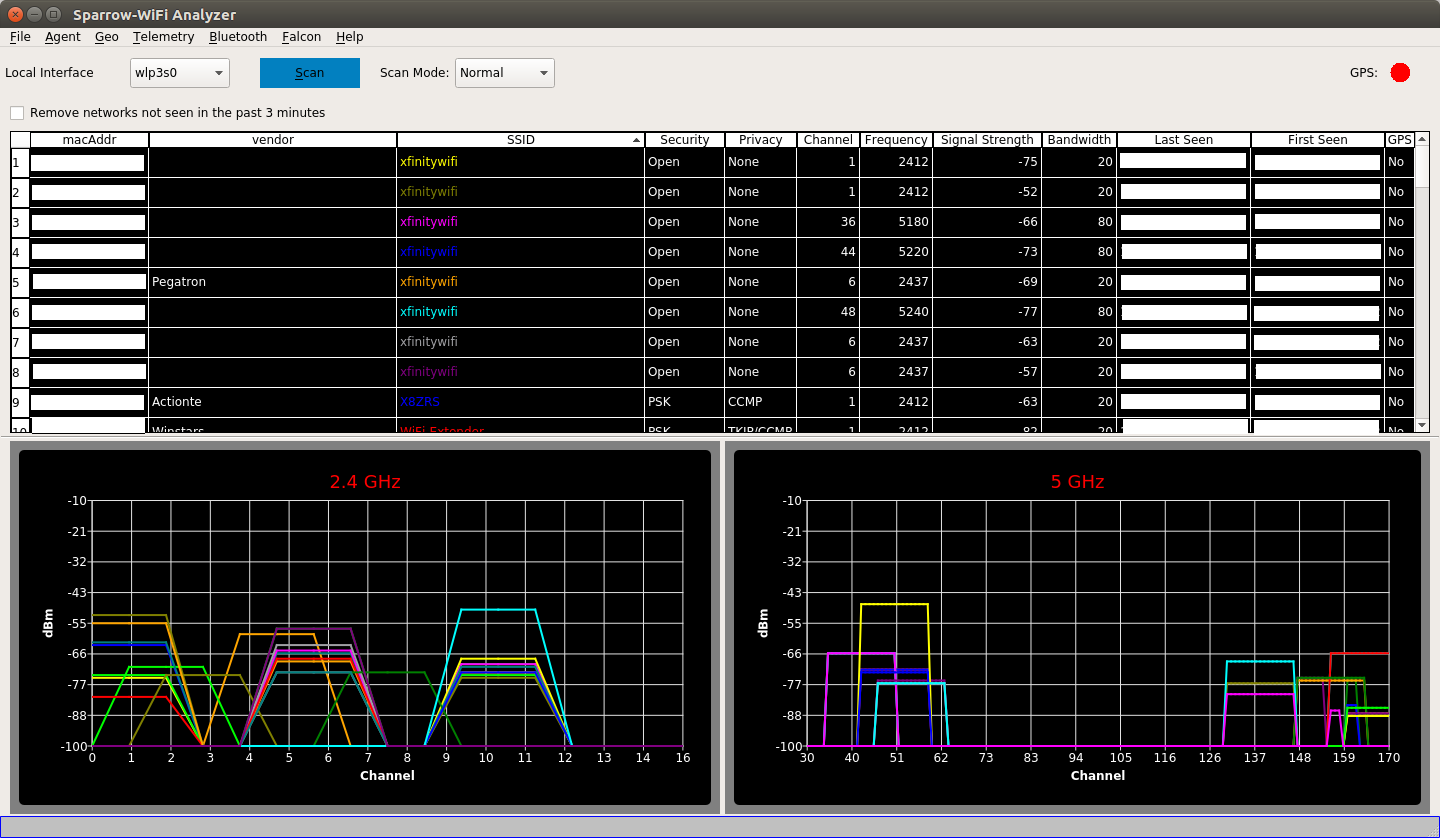 WiFi和蓝牙跟踪: 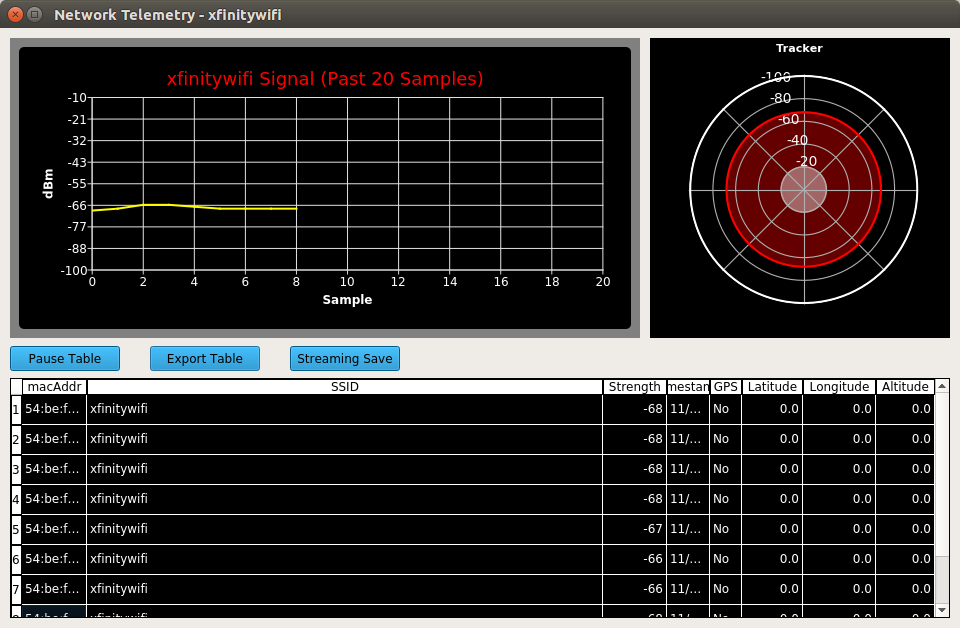 ### 工具安装 Sparrow-wifi使用了Python3、qt5和qtchart来构建UI界面,在标准的基于Debian的平台上,已经自带了Python3和qt5,只需要单独配置qtchart即可。在Ubuntu和Kali Linux上执行下列命令: ``` sudo apt-get install python3-pip gpsd gpsd-clients python3-tk python3-setuptools sudo pip3 install QScintilla PyQtChart gps3 dronekit manuf python-dateutil numpy matplotlib ``` 当然了,你也可以在Python虚拟环境(virtualenv)中使用该工具: ``` git clone https://github.com/ghostop14/sparrow-wifi cd sparrow-wifi virtualenv --python=python3 $HOME/sparrow source $HOME/sparrow/bin/activate pip3 install gps3 python-dateutil requests pyqt5 pyqtchart numpy matplotlib sudo python3 sparrow-wifi.py ``` ### 工具运行 该工具需要使用标准的命令行工具“iw”来执行WiFi扫描,因此我们需要使用root权限来运行: ``` sudo ./sparrow-wifi.py ``` ### GPS通信 Sparrow-wifi基于gpsd来提供标准的GPS通信功能,我们可以使用下列命令来进行快速的GPS测试: ``` gpsd -D 2 -N /dev/ttyUSB0 ``` 运行Sparrow-wifi远程代理 由于代理所需的权限跟GUI工具的运行权限相同,因此这里我们同样需要使用到root权限: ``` sudo ./sparrowwifiagent.py ``` 默认配置下,代理会监听端口8020。我们也可以使用下列命令来指定其他端口: ``` sudo ./sparrowwifiagent.py --port=<myport> ``` ### 工具帮助菜单 我们可以使用--help命令来查看Sparrow-wifi的帮助菜单以及参数选项: ``` usage: sparrowwifiagent.py [-h] [--port PORT] [--allowedips ALLOWEDIPS] [--mavlinkgps MAVLINKGPS] [--sendannounce] [--userpileds] [--recordinterface RECORDINTERFACE] [--ignorecfg] [--cfgfile CFGFILE] [--delaystart DELAYSTART] Sparrow-wifi agent optional arguments: -h, --help show this help message and exit --port PORT Port for HTTP server to listen on --allowedips ALLOWEDIPS IP addresses allowed to connect to this agent. Default is any. This can be a comma-separated list for multiple IP addresses --staticcoord STATICCOORD Use user-defined lat,long,altitude(m) rather than GPS. Ex: 40.1,-75.3,150 --mavlinkgps MAVLINKGPS Use Mavlink (drone) for GPS. Options are: '3dr' for a Solo, 'sitl' for local simulator, or full connection string ('udp/tcp:<ip>:<port>' such as: 'udp:10.1.1.10:14550') --sendannounce Send a UDP broadcast packet on the specified port to announce presence --userpileds Use RPi LEDs to signal state. Red=GPS [off=None,blinking=Unsynchronized,solid=synchronized], Green=Agent Running [On=Running, blinking=servicing HTTP request] --recordinterface RECORDINTERFACE Automatically start recording locally with the given wireless interface (headless mode) in a recordings directory --ignorecfg Don't load any config files (useful for overriding and/or testing) --cfgfile CFGFILE Use the specified config file rather than the default sparrowwifiagent.cfg file --delaystart DELAYSTART Wait <delaystart> seconds before initializing --debughttp The agent will print an HTTP request log entry to stderr as it is received. ``` ### 树莓派 我们可以使用下列命令在树莓派上完成工具的安装以及构建: ``` sudo apt-get install libsqlite3-dev cd /tmp wget https://www.python.org/ftp/python/3.5.5/Python-3.5.5.tgz tar -zxvf Python-3.5.5.tgz cd Python-3.5.5 ./configure && make -j3 && sudo make install ``` 完成之后,安装其他的依赖模块: ``` sudo pip3.5 install gps3 dronekit manuf python-dateutil ``` 接下来,直接使用下列命令运行代理即可: ``` /usr/local/bin/python3.5 ./sparrowwifiagent.py /usr/local/bin/python3.5 ./sparrowwifiagent.py --mavlinkgps=3dr --recordinterface=wlan0 ``` ### 项目地址 [Sparrow-wifi:【GitHub传送门】](https://github.com/ghostop14/sparrow-wifi)
没有评论